Product
AI Analytics
Ask your data a question the way you'd ask a teammate. InfiniStack writes read-only SQL, shows it to you, charts the answer, and lets you save it as a metric your whole team can reuse.
An answer you can't check is just a guess
Most “chat with your data” tools hand back a confident sentence and ask you to trust it. You can't see which tables it read, what it filtered out, or whether the question it answered is the one you asked.
In InfiniStack, every answer comes with the query that produced it and the rows it returned. You can check how it got there before you rely on the number, and when it's right, you save it as a metric instead of asking again next week.
- You ask
- In plain language
- It writes
- One read-only SELECT
- You get
- Answer, SQL, rows, chart
- You keep
- A reusable metric
Chat with your Data
Ask the question, then ask the next one
Pick a data source and type what you want to know. The answer arrives as a short written summary, the SQL behind it, a table of results, and a chart when one actually helps.
It remembers the conversation, so “now split that by plan” builds on the last answer. When a question could mean two things, such as which table you meant, it asks you instead of guessing. Slash-command skills like /chart-first let you shape how an answer is presented.
Popular Questions
A blank prompt is a hard place to start. When Business Knowledge is published for a data source, Chat suggests starter questions built from your own business definitions, limited to what you can access.
Conversations you can find
Every conversation is saved. Search them by title and filter by data source, so last month's analysis is easy to reopen.
Two kinds of explanation
A plain summary of the result, followed by an explanation of what the numbers mean. Figures that can't be traced back to the returned rows are removed from the answer.
AI SQL Generation
SQL it writes, on rails it can't leave
A model writing queries against production data needs hard limits, not good intentions. Every query is checked before it runs, and nothing it writes can change your data.
Grounded in your real schema
The model works from the live schema of your data source, with a few sample rows per table, so it uses real table and column names instead of guessing. Schema Intelligence helps pick the right tables.
Checked before it runs
Every query is fully parsed and must be a single SELECT. Anything that writes data, or a second statement added after the first, is rejected before it reaches your database.
Scoped to what you may see
When your team has an access policy, queries can only use the tables it allows, and a cleverly worded question can't reach around that. Results are capped at 1,000 rows by default, so one question can't return millions.
Fixes its own mistakes
If the database rejects a query, the model gets the error back and tries again, with up to three attempts in total. A mistyped column name gets corrected quietly instead of becoming a dead end.
Want to edit the SQL? Take it to Metrics.
In chat the SQL is there to read. When you're building a metric, the Ask AI tab drafts the query and Use this query puts it in the editor for you to change, so the AI does the first draft and you finish it. Workflow Studio SQL cells have the same helper.
AI Charts
A chart only when it earns its place
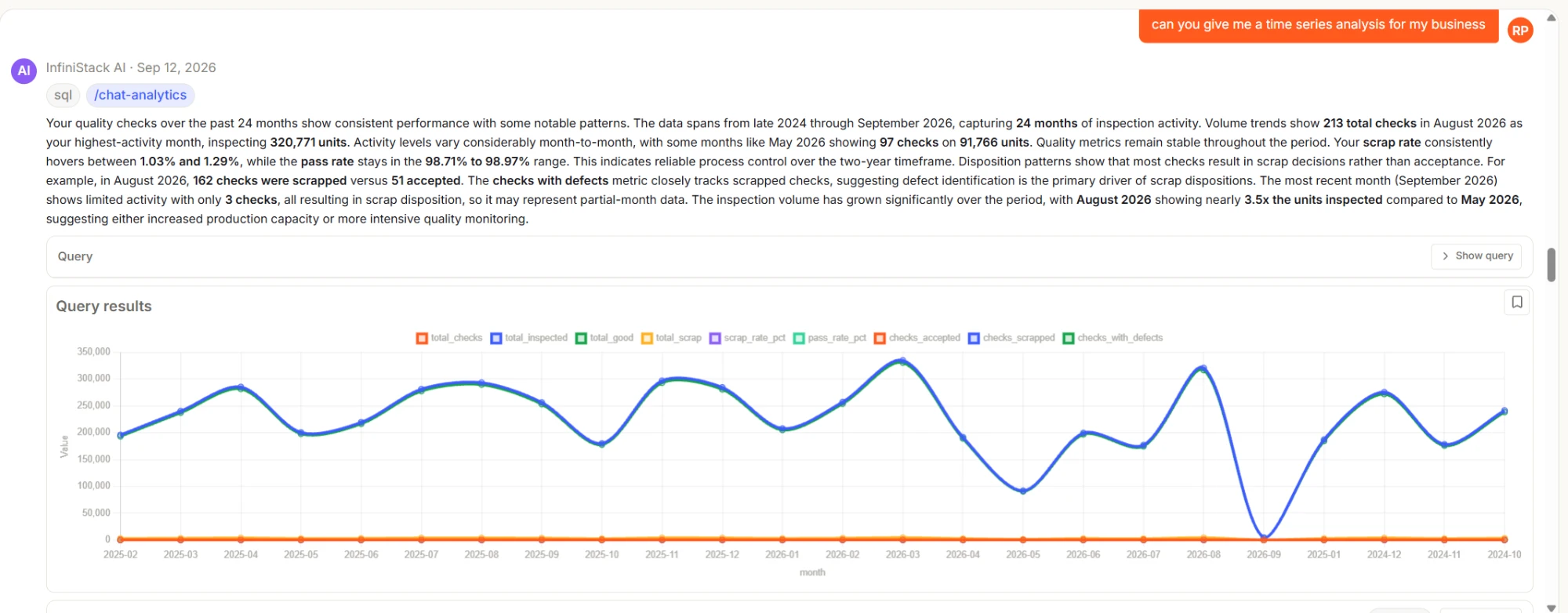
Every answer comes with its results table. Ask for a chart, a graph or a plot, or use the /chart-first skill, and the model picks the chart type that fits the data: a line for a trend, bars for a comparison, a doughnut for a share.
When you don't ask for one, like a lookup of one customer's plan, you get the table and a sentence, with no decorative chart added.
In the chat answer
Once saved as a metric
A chat result saves as a chart or a table. KPI and pivot views are available when you build or edit the metric.
Saved Analysis
Good answers shouldn't disappear into chat history
The useful question you asked on Monday is the same one your manager asks on Friday. Save it once and it becomes part of the platform, instead of a message someone has to scroll back to find.
Keep the query
One click turns a chat answer into a metric, with its SQL, its visual, and a note that it came from chat.
Refresh on demand, or on a schedule once it's in a report
Display as chart, KPI, table or pivot in the metric builder
No need to ask the question again
Put it in context
Drop the metric into a report next to the other numbers it belongs with. An Insight block adds a short AI-written analysis of a chart, table or KPI.
AI-written insights you can regenerate
Compose with AI starts a report from an outline of your published business terms
Built from saved metrics
Hand it to the team
Share reports with teams or Common Spaces, favourite the ones you check daily, and pin the important ones to Home.
Team and Common Space sharing
Pin to Home
Same access rules as the data
Business Knowledge
Teach it what “active customer” means once
Raw column names don't tell a model how your business works. Business Knowledge is a layer of measures, dimensions, synonyms and descriptions, drafted from your catalogued schema and published by an admin once it's right.
Once it's turned on for your deployment, chat answers in your business's own terms. It only uses definitions that are published and that the person asking is allowed to see, and the table and column mappings behind them are never sent to the model.
- Measures
- Sum, count, average, custom
- Dimensions
- Time, category, geo, hierarchy
- Language
- Synonyms and descriptions
- Lifecycle
- Draft, review, published
AI with the same controls as the rest of your data
AI features aren't a side door. They follow the same organization boundaries, team permissions and audit trail as everything else on the platform.
PII Guard
An organization setting, off by default. When it's on, values in columns that look like personal data are replaced with [redacted] before they reach the model. It works from column names and value patterns, and what you see on screen is unchanged.
Team guardrails
Members only reach the tables their team is allowed. Each team can also have its own standing instructions and blocked terms.
An audit trail
Changes to the organization's AI agent prompt, and questions refused by scope or team rules, are recorded for admins. Anyone can flag a bad answer with Report AI reply for review.
Can be switched off
A platform administrator can turn AI features off for an organization. AI actions then show as unavailable, and pipelines, metrics, reports and SQL keep working as usual.
What the model actually sees
To write a query, the model receives your schema and a few sample rows. To summarize an answer, it receives up to five result rows. It never receives your full results, and with PII Guard on, personal data is redacted before it's sent. Queries run against your own data source, inside your organization. InfiniStack uses Anthropic models, and falls back to OpenAI automatically if Anthropic is unavailable.
What AI Analytics works with
Data Integration
The pipelines that load the tables chat asks about.
ExploreDashboards
Where saved metrics sit side by side on a shared board.
ExploreWorkflows
Notebook-style analyses with SQL, Python and chart cells, and an AI helper for writing SQL.
ExploreSecurity
The organization boundaries and roles that AI answers also follow.
ExploreCommon questions
Which databases can I chat with?
Chat currently works with MySQL and PostgreSQL. Each conversation is tied to one data source, and you can switch source whenever you like.
Can the AI change or delete my data?
No. Every generated query is parsed before it runs and must be a single SELECT. Inserts, updates, deletes, schema changes and extra statements added after the first are all rejected.
Is my data sent to an AI provider?
Some of it is, and we'd rather tell you exactly what. The model receives your schema and a few sample rows to write the query, and up to five result rows to summarize the answer. Turn on PII Guard and values in columns that look like personal data are redacted before they're sent.
Can a user see tables they shouldn't through chat?
No. When a team has an access policy, generated queries may only use the tables it allows, and every request stays inside your organization. Admins set these policies per team.
What if the AI gets the answer wrong?
You can read the SQL and the rows, so a wrong filter or join is visible, not hidden behind a sentence. If a query fails, the model retries with the database's error message, for up to three attempts in total. If an answer is still wrong, flag it with Report AI reply.
Do I have to set up a semantic layer first?
No. Chat works straight from the schema Schema Intelligence catalogues for each data source. Business Knowledge is optional: it adds business definitions and synonyms on top, and an admin drafts and publishes it when your organization wants that.
Ask anything, and check the answer
Plain-language questions, read-only SQL you can inspect, and answers you can save and share with your team.